Data Extraction Guide
Most process data does not come as an OCEL file, but as tables in a database or in CSV, Excel, or Parquet files. A data extraction blueprint describes how rows of such tables become events, objects, and their relations. OCPQ runs the blueprint and loads the resulting OCEL, ready for querying.
This guide uses the Northwind sample database as a SQLite file (northwind.db).
It contains the orders of a fictional trading company, with their customers, employees, products, and shippers.
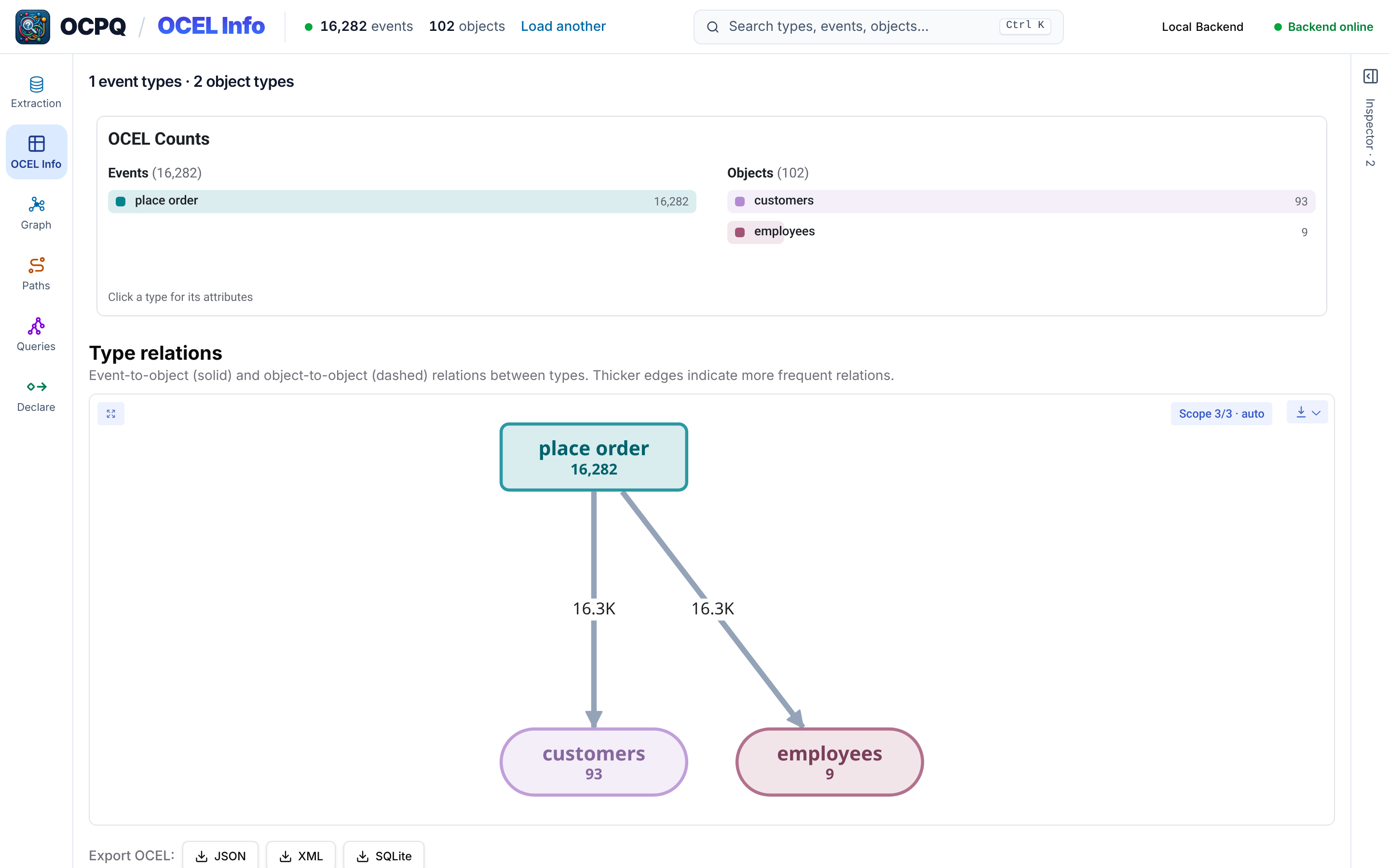
We turn each row of the Orders table into a place order event, related to the customer who placed the order and the employee who handled it.
Creating a blueprint
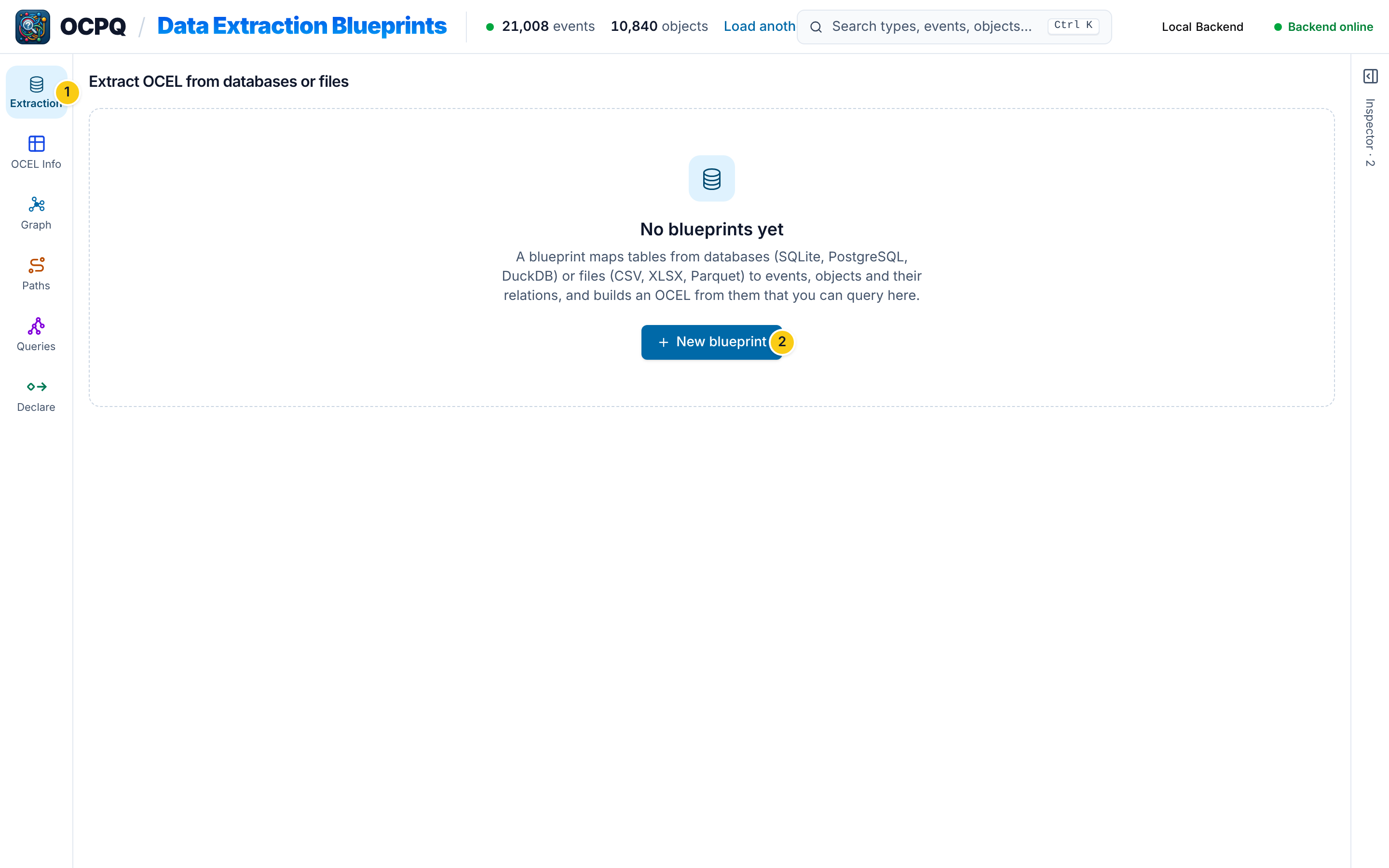
Open Extraction in the sidebar 1 and create a new blueprint 2.
Data extraction does not need a loaded OCEL.
Connecting a source
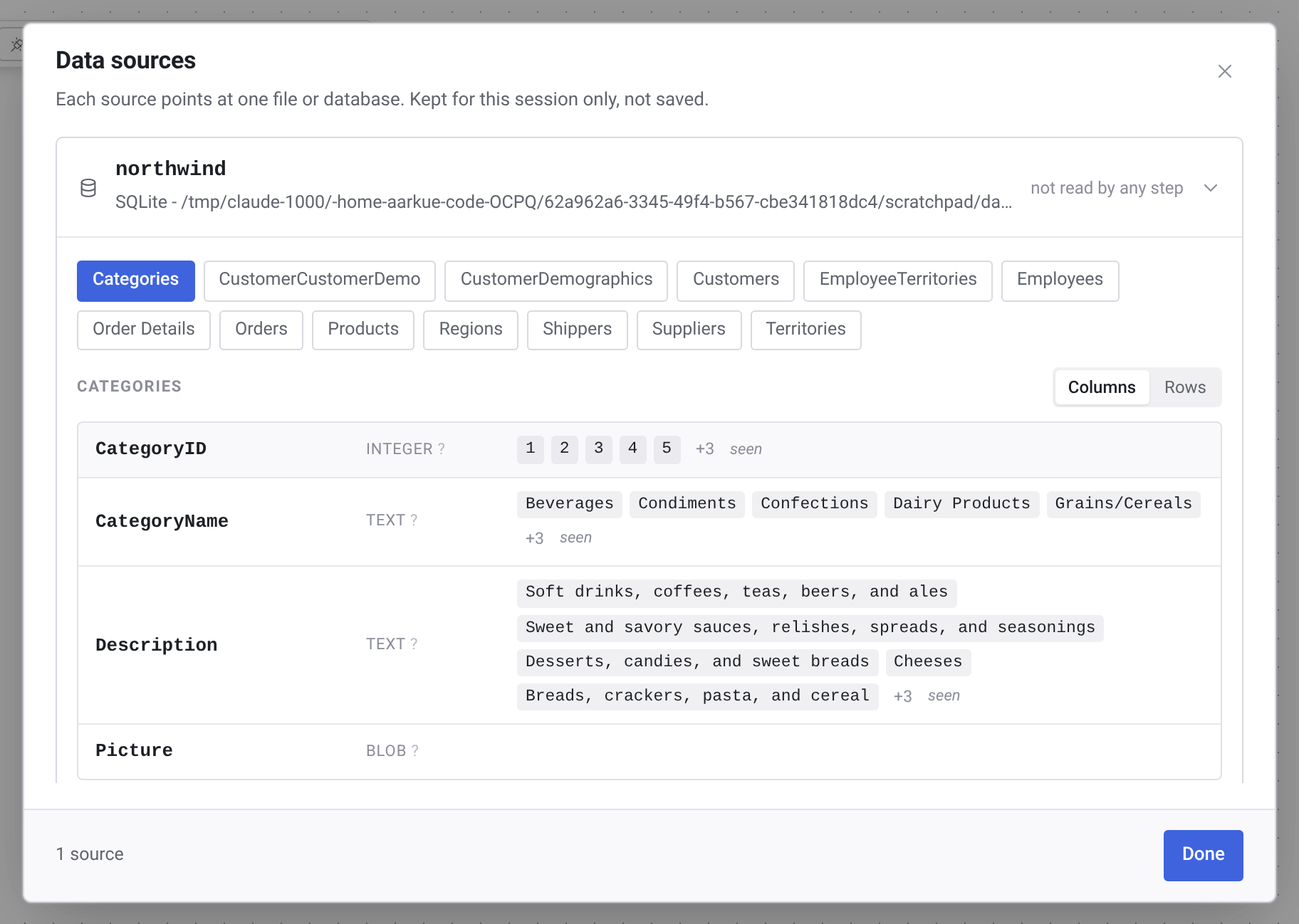
In the new blueprint, click Connect a source and then Open a file....
Pick the source type 1, here SQLite, and enter the path to the file 2.
A blueprint can also read CSV, Excel, and Parquet files, or connect to a PostgreSQL server.
Sources are kept for the current session only, while the blueprint itself is saved.
Mapping a table
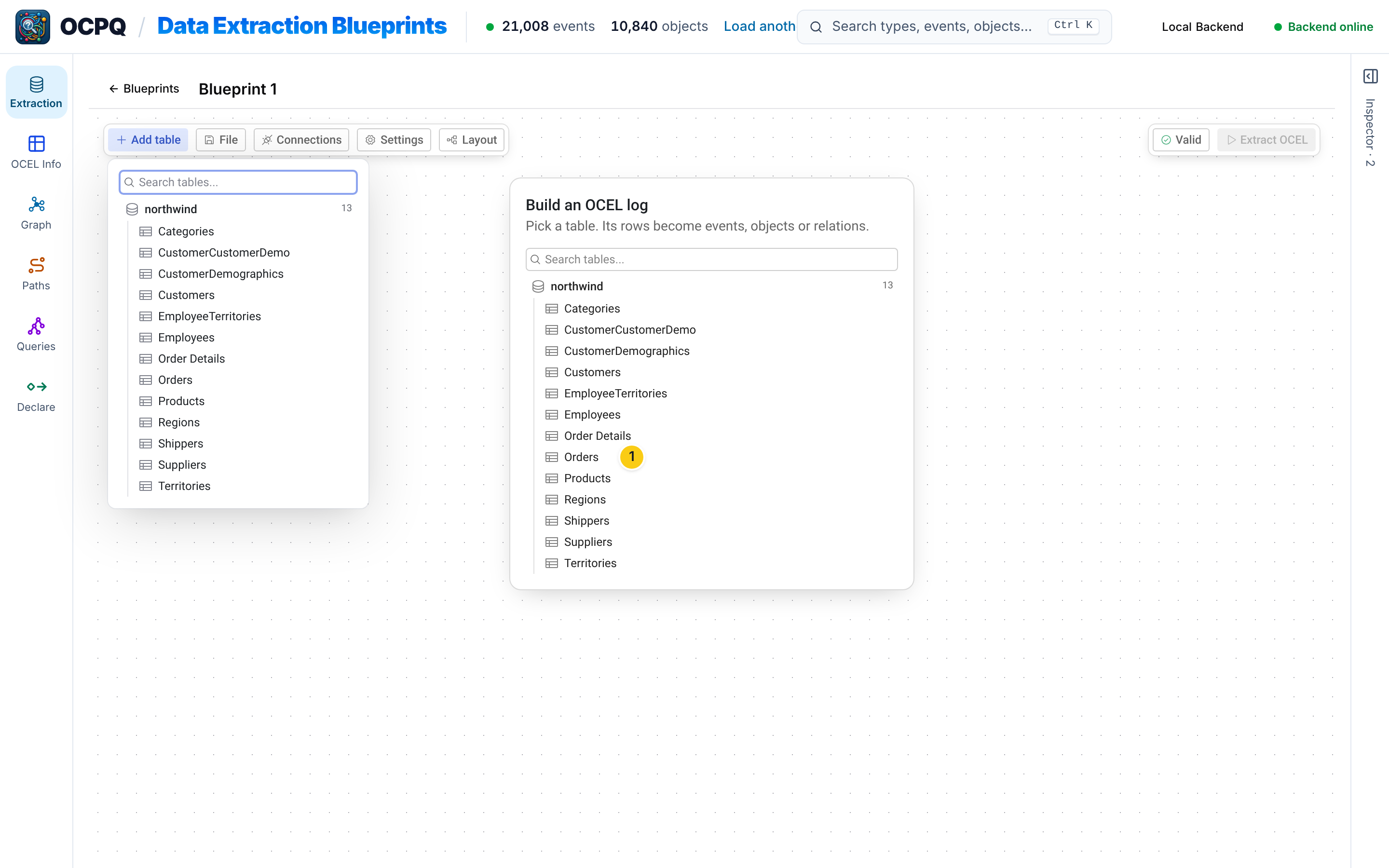
Add table lists the tables of all connected sources.
We pick Orders 1.
The dialog then asks what the rows of the table should become 1: events, objects, E2O or O2O relations, or the result of a transform (filter, join, or union).
We keep Event, so each row of Orders produces one event.
For an event, you set its type 2 and its timestamp 3.
Each value can come from a column, a template that combines several columns, a constant, or the first non-empty of several options (Coalesce).
We use the constant type place order and the column OrderDate as the timestamp.
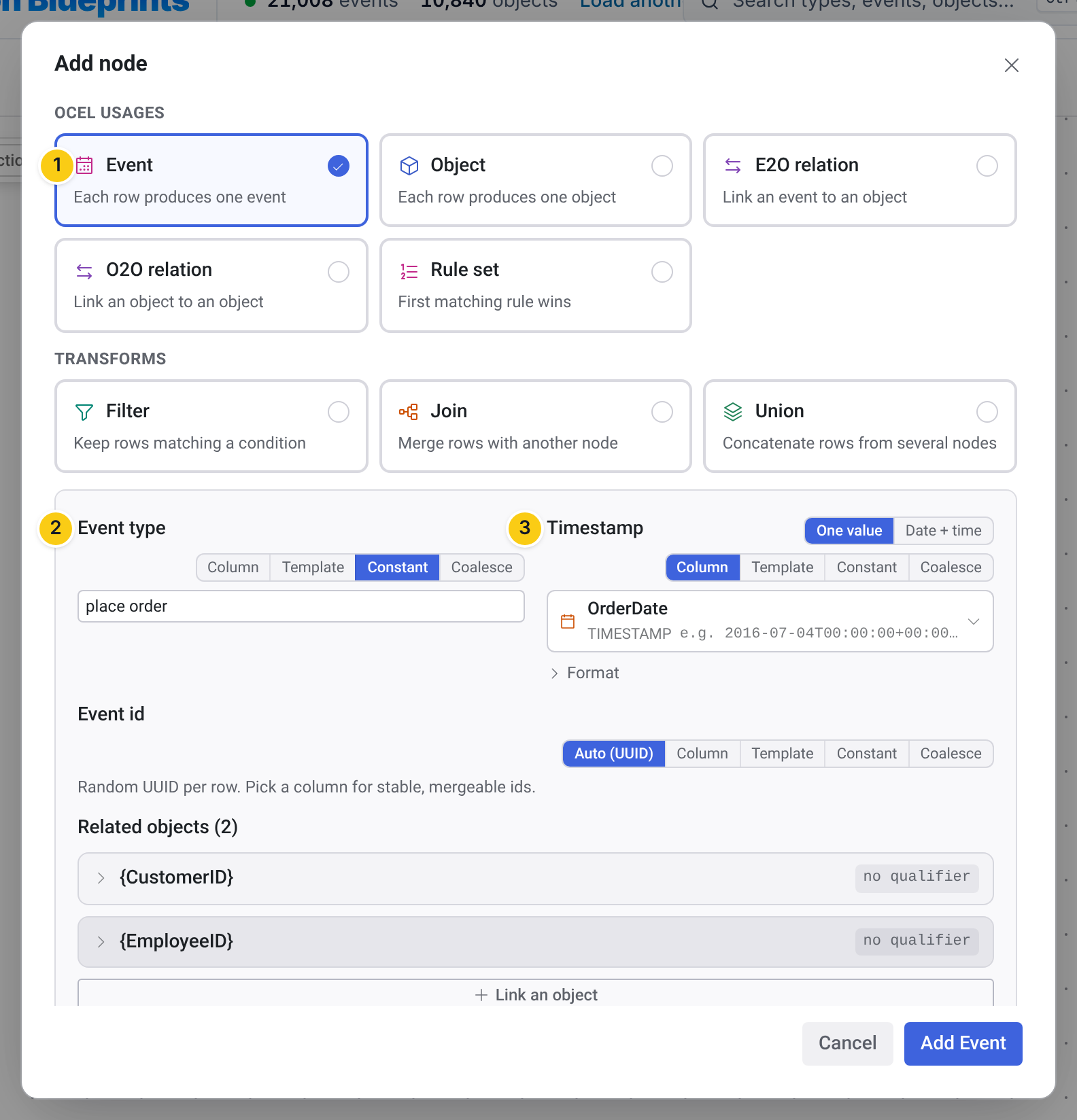
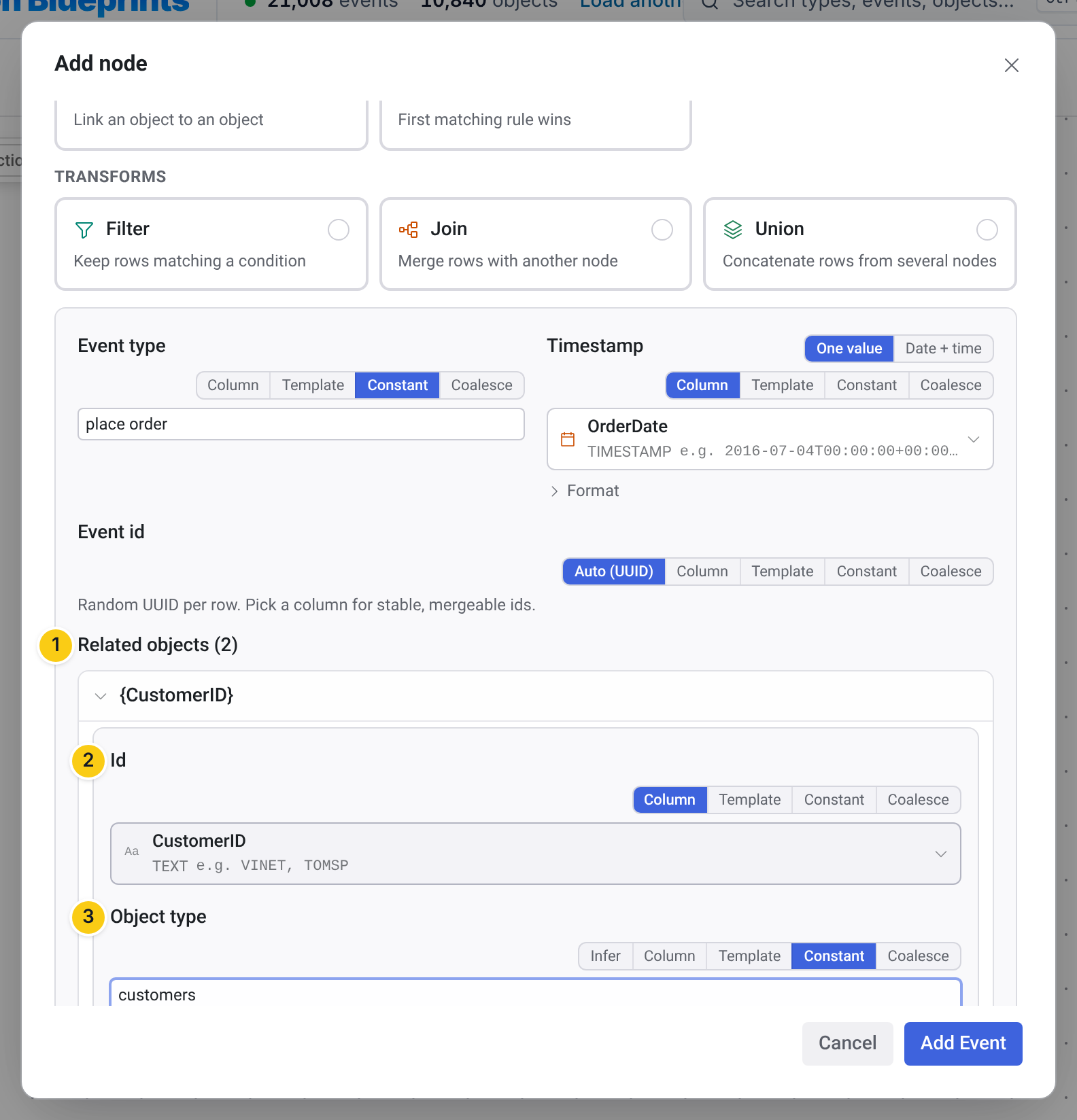
Further down, Link an object relates the event to objects named in the same row 1.
Each related object needs an ID 2, here the column CustomerID, and an object type 3, here customers.
A second link relates each event to the employee in the EmployeeID column, as an object of type employees.
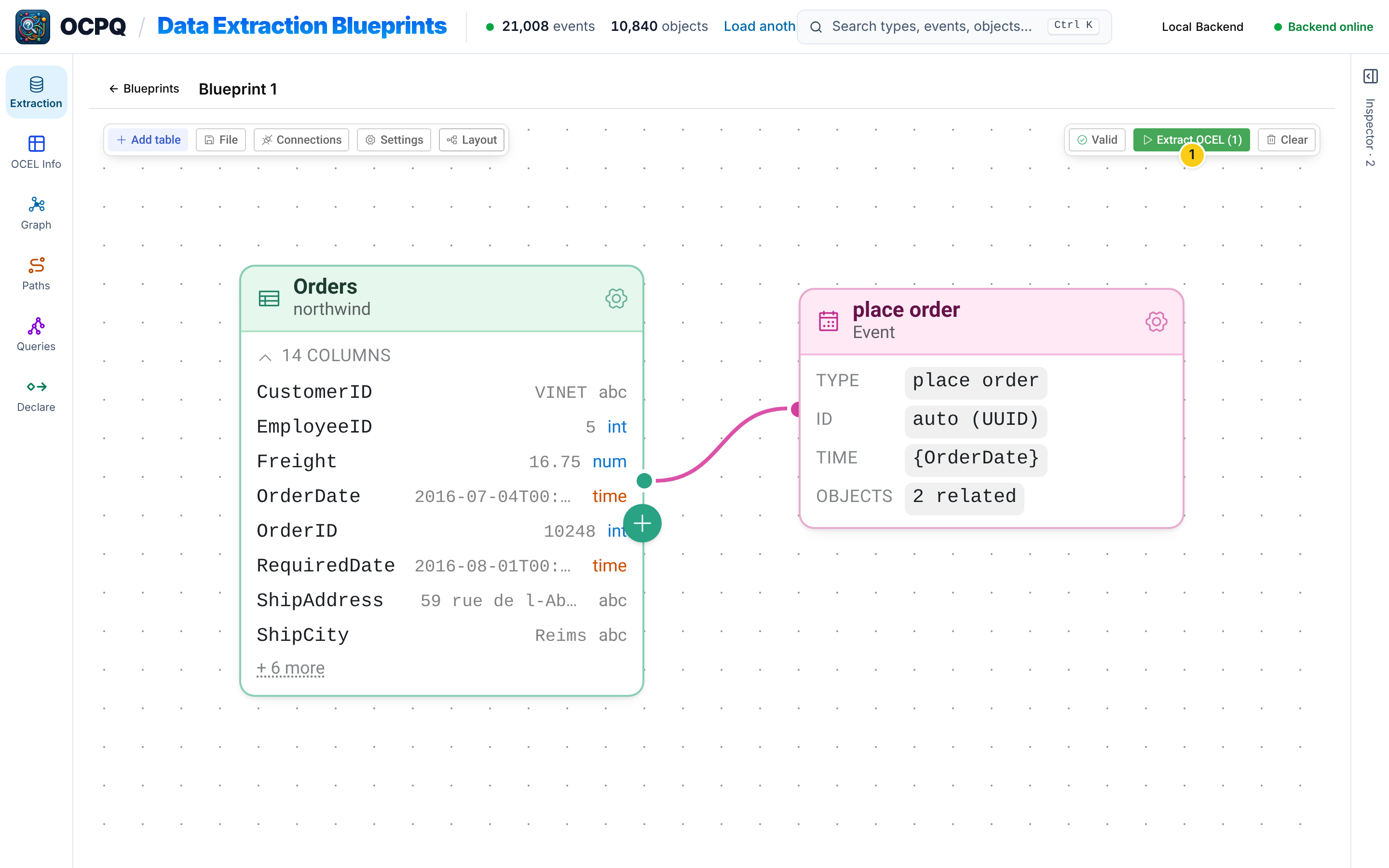
Add Event places the mapping next to its table on the canvas.
The blueprint is checked while you edit it, and its status shows next to Extract OCEL 1.
Extracting the OCEL
Extract OCEL runs the blueprint.
The report lists, for each mapping, how many rows it read and how many events, objects, and relations it produced.
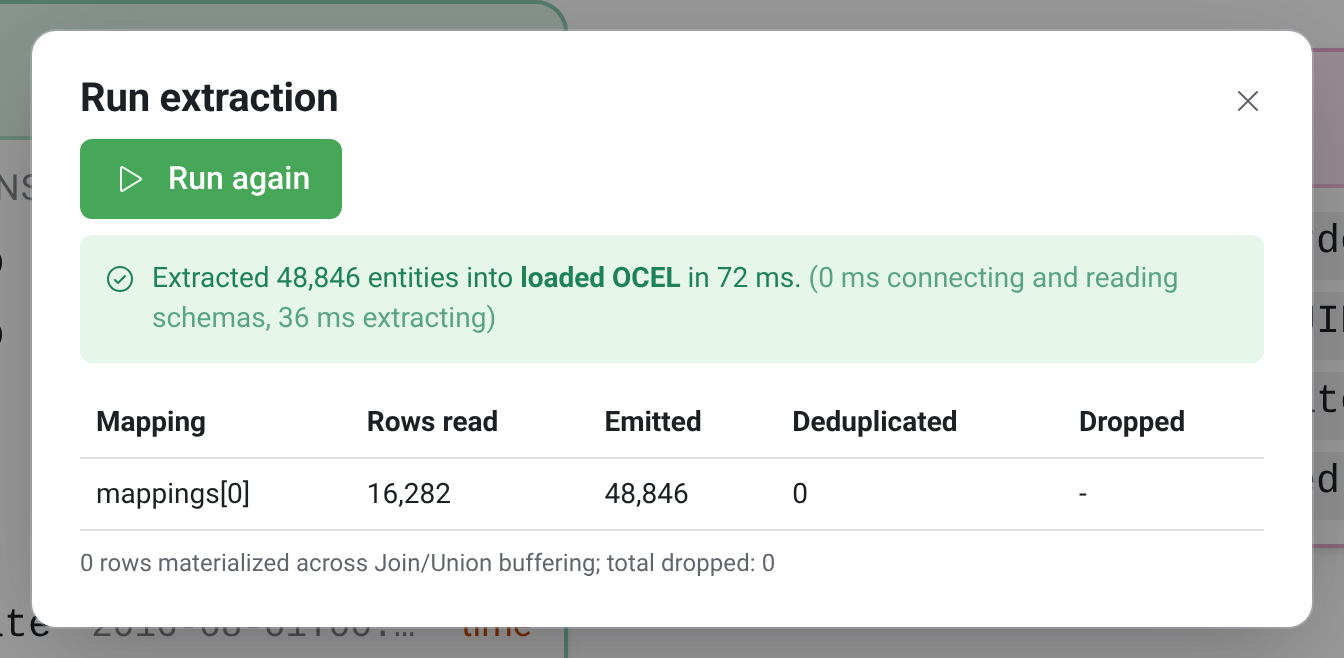
The extracted OCEL replaces the loaded one and is ready for all other views of OCPQ.
The OCEL Info page shows its event and object types, and it can be exported as an OCEL 2.0 file in JSON, XML, or SQLite format.